 Are you tired of hearing how "simple" it is to deploy apps with Docker Compose, because your experience is more one of frustration? Have you read countless blog posts and forum threads that promised to teach you how to deploy apps with Docker Compose, only for one or more essential steps to be missing, outdated, or broken?
Java is a very rich and sophisticated language, one that’s been growing and developing since it was first released on May 23rd, 1995. It’s used in all manner of projects, from small to large, to outer space. Given all these things, the language has become quite a behemoth, known for its verbosity and complexity.
However, in recent years, a lot of effort has been invested in making Java easier and more productive to use. This is excellent, as there is a lot to love about it (despite what I’ve said about it over the years).
I started learning it at university, back in 1997, when it was a much simpler language than it is today. Sadly, I didn’t keep up with it, and went wherever a role or client took me. Not that that was entirely a bad thing. I love working with PHP. However, I should have continued learning Java along the way.
Recently, I’ve been spending time getting back up to speed with it, and have found it a very enjoyable and rewarding experience.
So, in this post, I’m going to step through a lot of what I learned in the hope that, if you’re in a similar position, that it can help you as well.
I’m structuring the advice around a series of key points. If one or more don’t make sense or are not applicable to you, feel free to skip over them. Otherwise, I’d love to get your feedback in the comments.
Use a good IDE or Text Editor
I don’t think this is a controversial thing to say, as it’s something that, in effect, the language almost dictates – at least for someone new to the language. And a build tool as well, but that’s for a later point.
In PHP (or Ruby, Python, Go, Rust, etc), it’s quite practical to only need a simple text editor, such as VIM, and the PHP runtime; or a somewhat more sophisticated one, such as SublimeText or Visual Studio Code, without any non-standard plugins.
This is because, in my experience, these languages have a far simpler approach to where they store external packages and how they’re managed. What’s more, because of Composer, which virtually goes hand-in-hand with PHP, managing external dependencies and packages is effectively trivial. The same can be said for Ruby, Python, Go, and Rust, because of their dependency managers.
Here’s a rather simplistic example to show what I mean. If I wanted to build a small web application, I could be up and running in under five minutes. I could start off with a small script, such as the following, borrowed from the Slim documentation.
<?php

use Psr\Http\Message\ResponseInterface as Response;
use Psr\Http\Message\ServerRequestInterface as Request;
use Slim\Factory\AppFactory;

require __DIR__ . '/vendor/autoload.php';

$app = AppFactory::create();

$app->get('/hello/{name}',
    function (Request $request, Response $response, array $args)
    {
        $name = $args['name'];
        $response->getBody()->write("Hello, $name");
        return $response;
    }
);

$app->run();
Then, I’d install the required dependencies with the following command:
composer require slim/slim slim/psr7
Finally, I’d start the application with this command:
php -S 0.0.0.0:8009 -t .
Then, you can open the application’s default route in your browser of choice such as by navigating to http://localhost:8009/hello/matthew, where you’ll see the following.
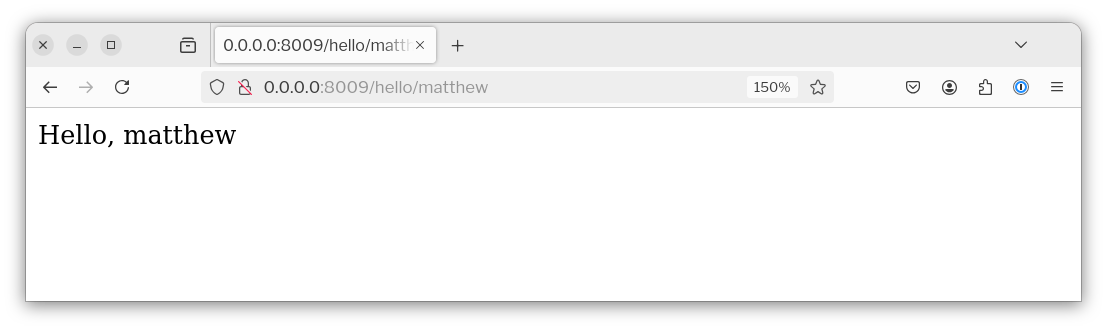
Sure, it’s not the most sophisticated web application, but it has a basic routing table, DI container, simplifies handling requests and responses, and can rapidly be built upon.
Yes, the more sophisticated the application becomes, the more I’d suggest more sophisticated development environments such as PhpStorm or Visual Studio Code are required, or could be beneficial. But, you don’t need them to get started with, and may never need them. Nor do you need a sophisticated and powerful build tool either.
I don’t believe the same can be said of Java.
Keep in mind, this is coming from the perspective of someone getting into the language. So, perhaps my knowledge is lacking.
I chose to start off with IntelliJ IDEA Community Edition. But, without using a build tool such as Maven, I have no idea how to manage Java’s classpath, download packages/dependencies locally, where they would be stored, and how I’d make them available to my code.
To be honest, the classpath was one of my biggest bugbears when I was initially getting started with Java all those years ago. That tools such as Maven (and Gradle) exist, I think, show that I was not alone, and that it’s a complex topic requiring dedicated support.
That said, this isn’t me hating on Java. Now that I’ve gotten a bit of familiarity with Maven, I really like it and find it to be a solid solution.
It, and others, can save you a lot of hassle building and deploying code if your editor or IDE of choice don’t provide it natively.
Now, let’s see how to achieve the same, small, web app with Java, using the Spark framework.
Now, update src/main/java/<
package org.settermjd;

import static spark.Spark.*;

public class Main {
    public static void main(String[] args) {
        port(8009);
        get("/hello/:name", (req, res) -> {
            var name = req.params("name");
            return "Hello " + name;
        });
    }
}
Then, to compile and launch the application, either press Shift + F10 in IntelliJ IDEA or the equivalent in your preferred IDE or text editor. I’m not sure how to run the app with Maven, as I’m not experienced enough with it, yet. And I have no experience with Gradle. Now, open the application’s default route in your browser of choice such as by navigating to http://localhost:8009/hello/matthew, where you’ll see the following.
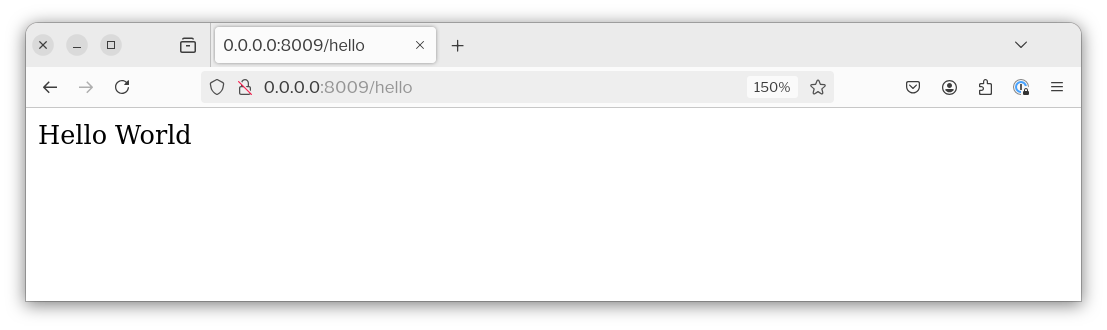
Both sets of code achieve the same result. They’re both pretty comparable to each other. However, speaking from experience and bias, purely, I’d suggest that the PHP version is easier to grow. But, this could be subjective.
You need a good IDE or sufficiently capable text editor.
By contrast, in PHP (or Ruby, Python, Go, Rust, etc), it’s quite practical to only need a simple text editor and the PHP runtime. You could use a simpler one, such as VIM, TextEdit, or NotePad++. Alternatively, you could use a somewhat more sophisticated one, such as SublimeText or Visual Studio Code, without any non-standard plugins.
...
With Java, I feel you need a good IDE, such as IntelliJ IDEA or a text editor with good tooling support, as well as a build tool like Maven. Without them, while you could write a semi-sophisticated application, I think you’d struggle to compile or run it, because of having to manually manage the classpath.
...
However, speaking from experience and bias, purely, for me, PHP is easier. But, this could be subjective.
The primary reasons for this are:
- You don't need a build tool such as Maven, nor to learn its configuration file syntax
- You don’t need a sophisticated IDE or text editor to help you along
- You don't need a specific directory structure; perhaps you don’t in Java either
Don’t try and learn too quickly
- Take it slow and don’t try to learn it too quickly
- Learn features, packages, etc as it makes sense
Learn from other projects where it makes sense
Some things have changed but some things remain the same
- It still launches from a class with a
public static void mainmethod - One class per file where the file and class have the same name
Java is a lot like other languages (or they’re like it)
- imports, packages, and namespaces
- variable scope
Perhaps find a framework to speed your learning
- Try a small, actively maintained one such as Spark
It’s quite a verbose language, but there are shortcuts
- Packages such as lombok
- Declaring variables with var instead of the type
Take advantage of features in newer versions
- record type